Now on the Shopify App Store
A fitting room on every product page.
Shoppers see your clothes on a photo of themselves — one piece or a whole outfit — then an AI stylist helps them choose the right size and buy.
- Free plan
- 7-day trial on paid plans
- No code — add it in the theme editor
One photo, every look
Upload once. Try on everything.
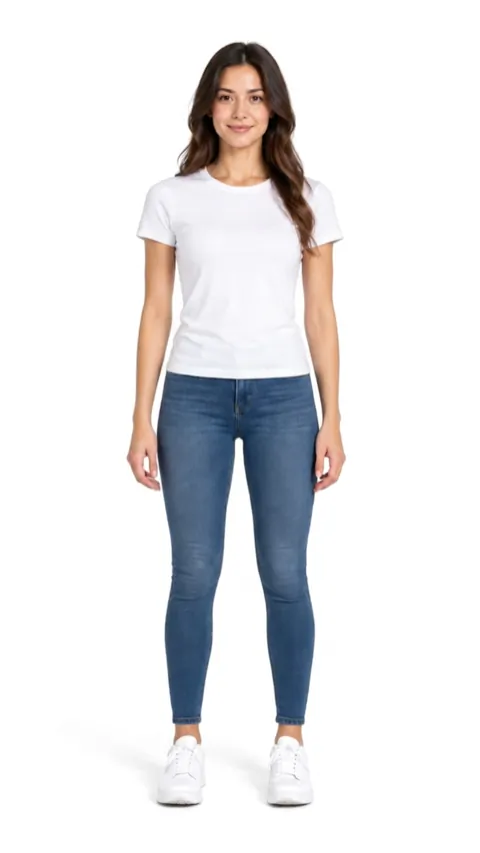
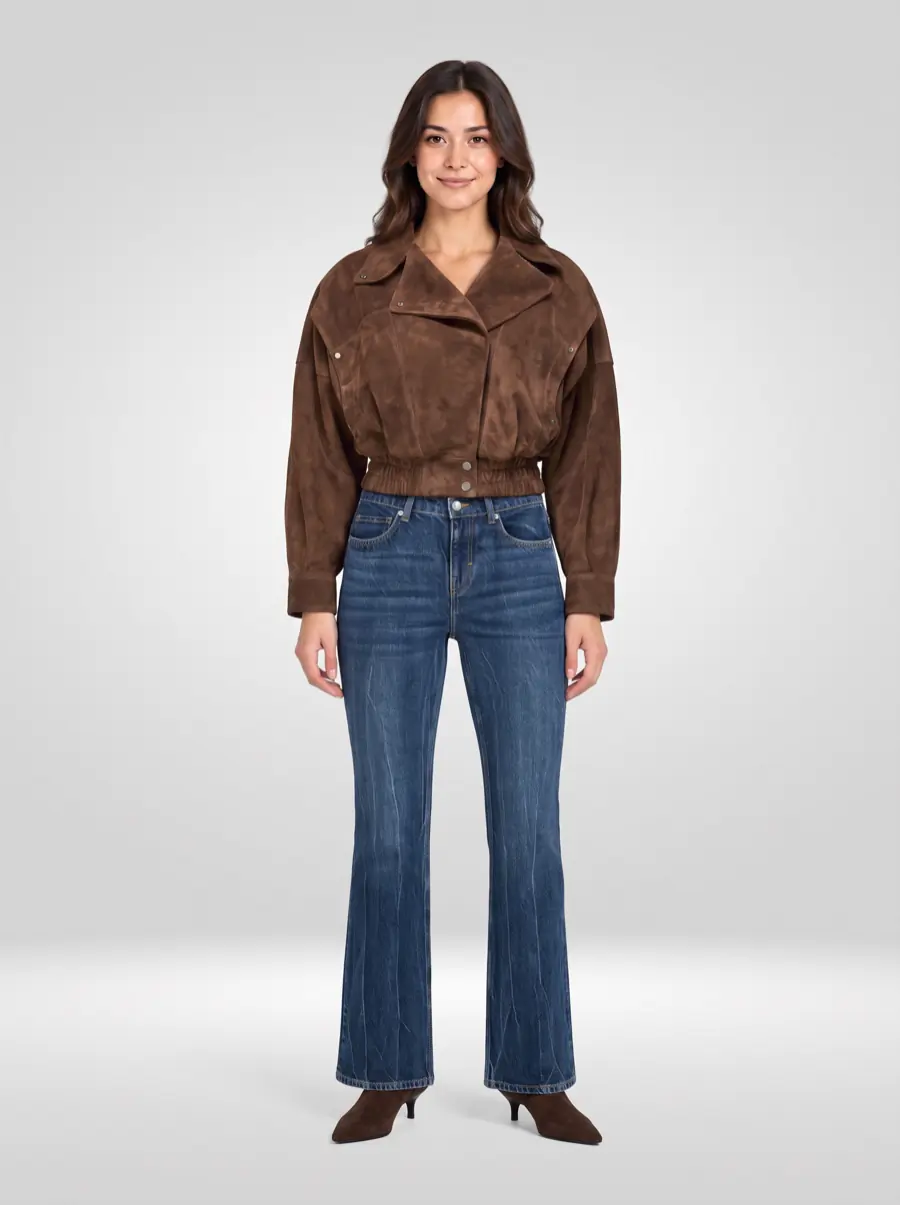
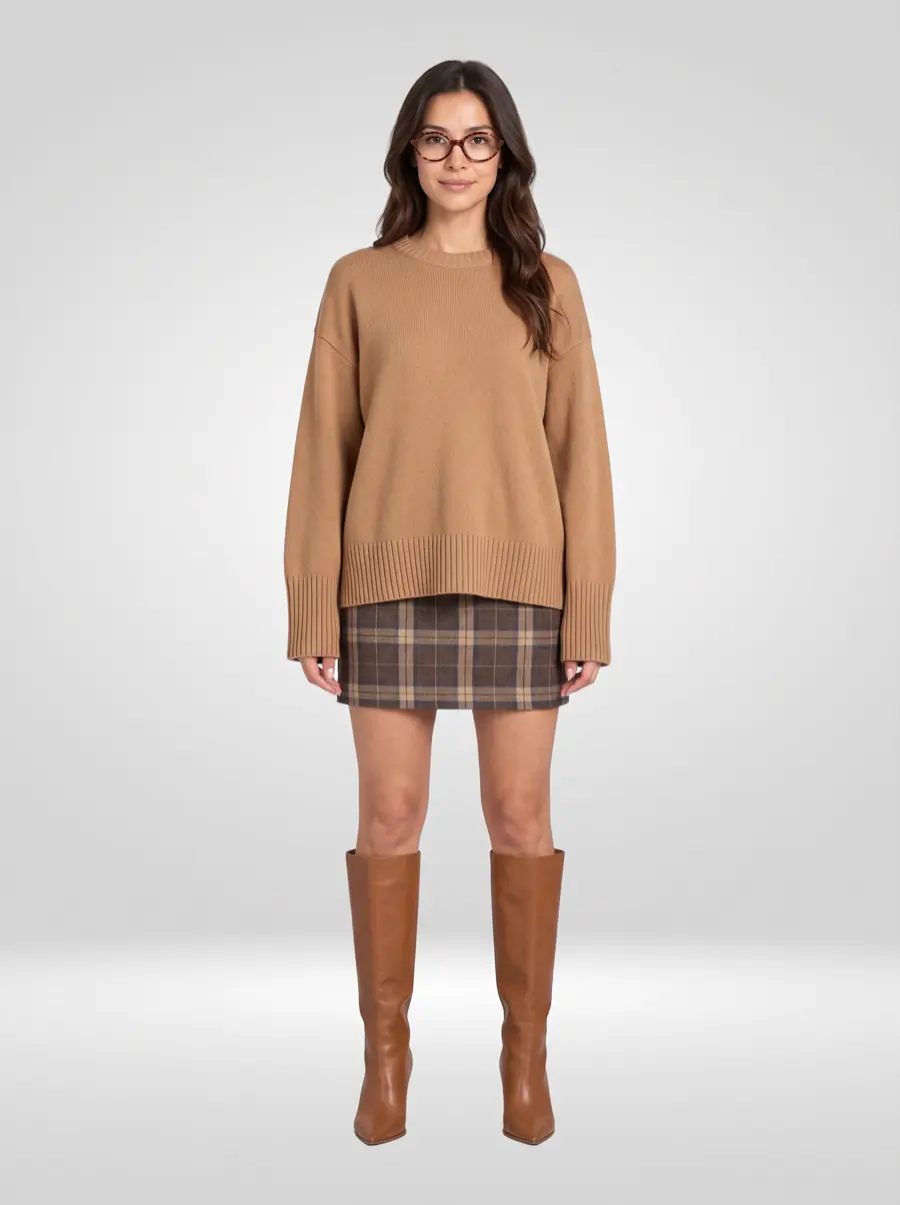
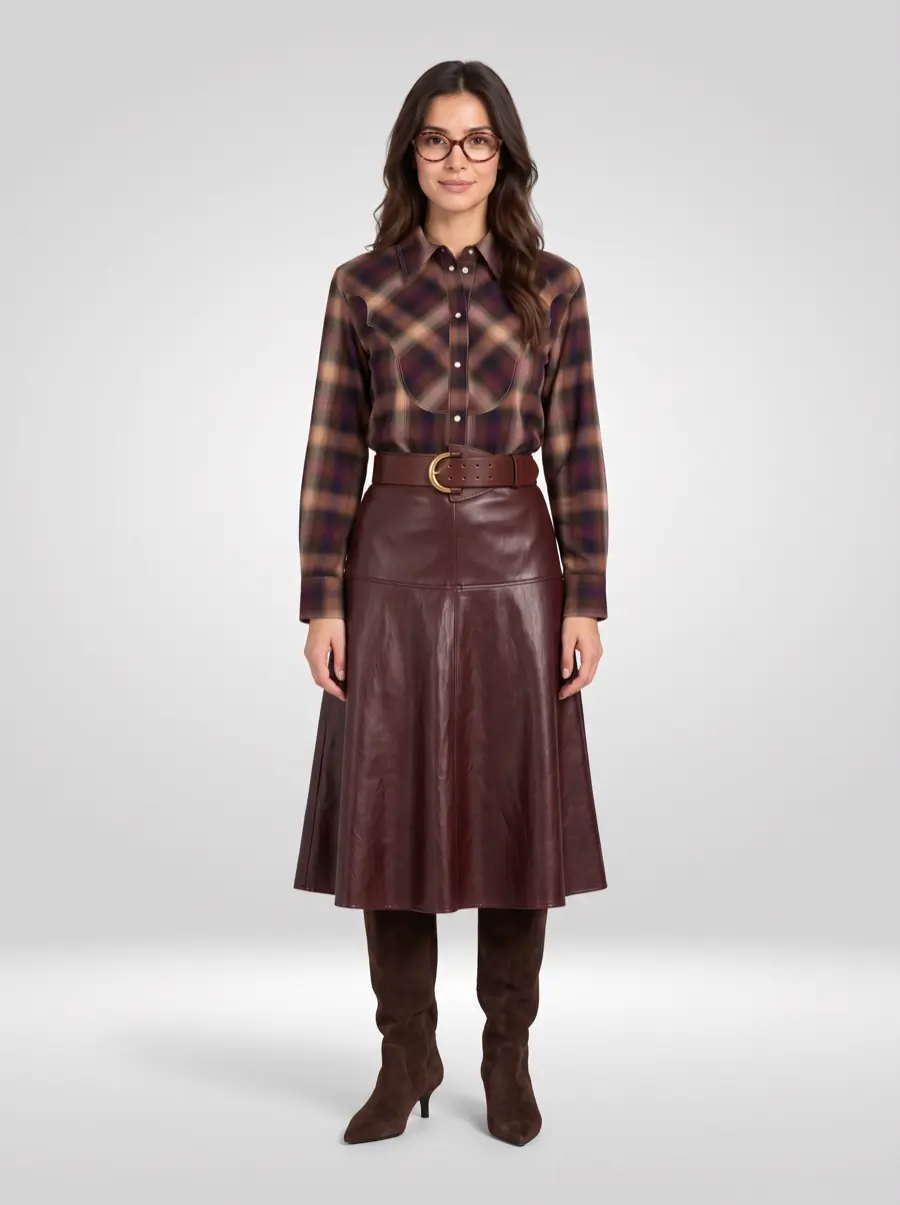
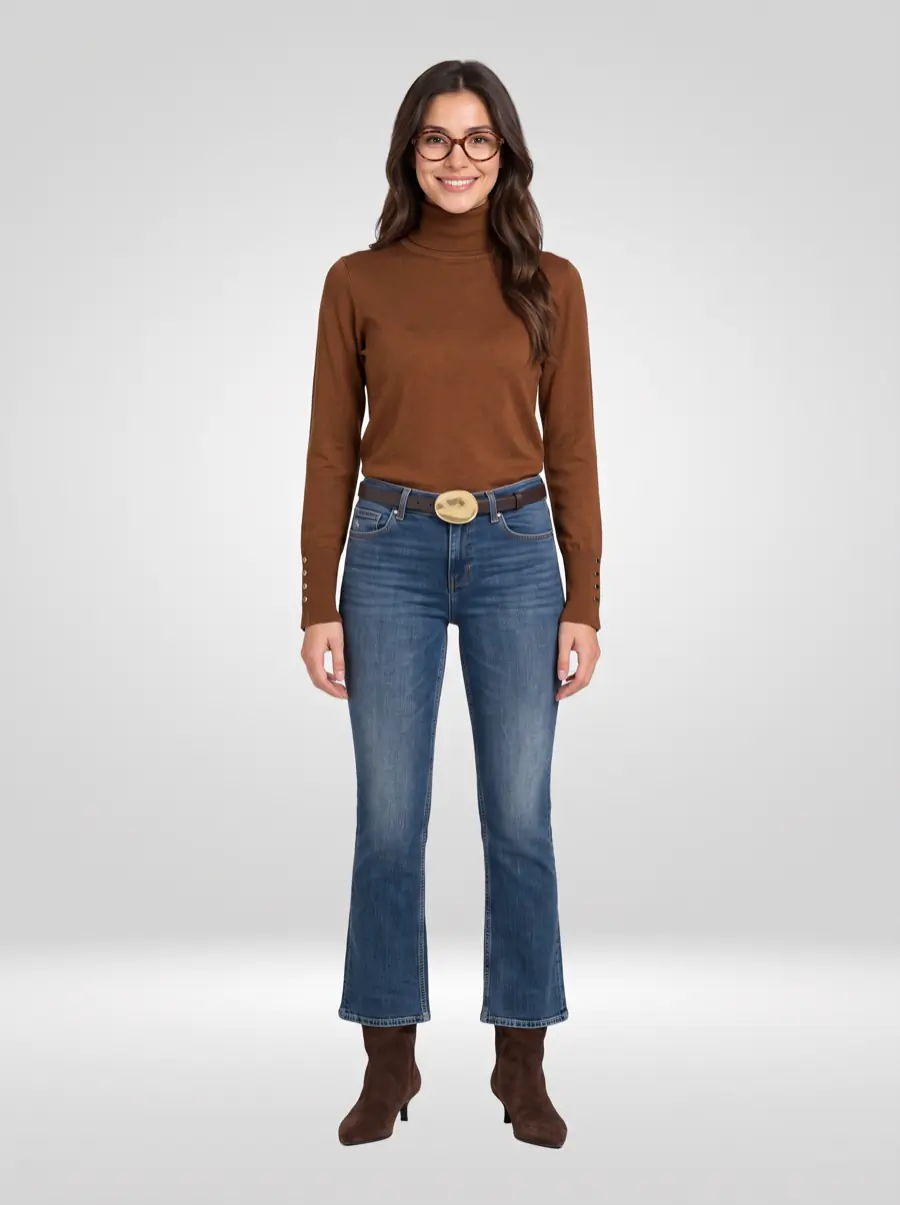
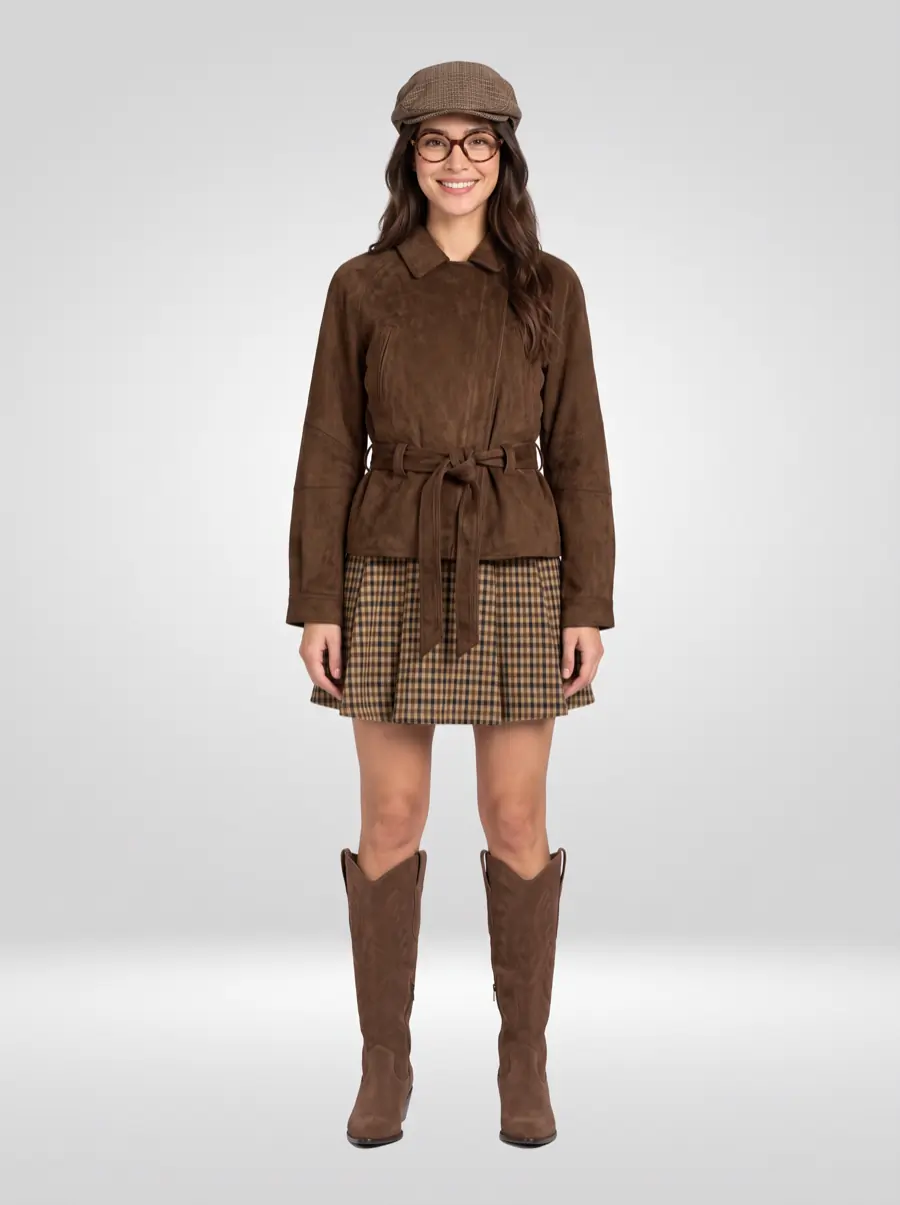
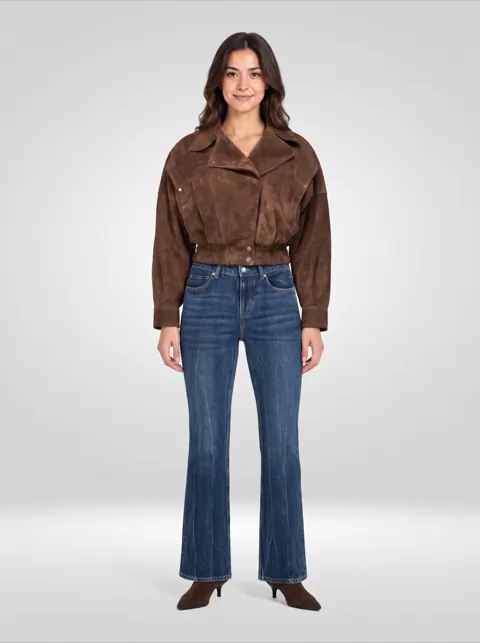
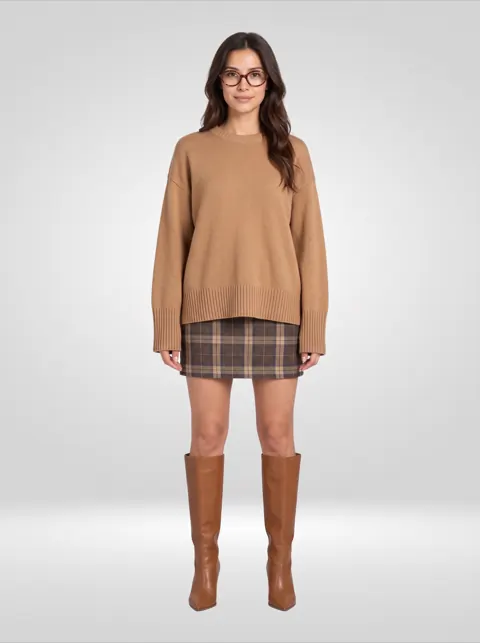
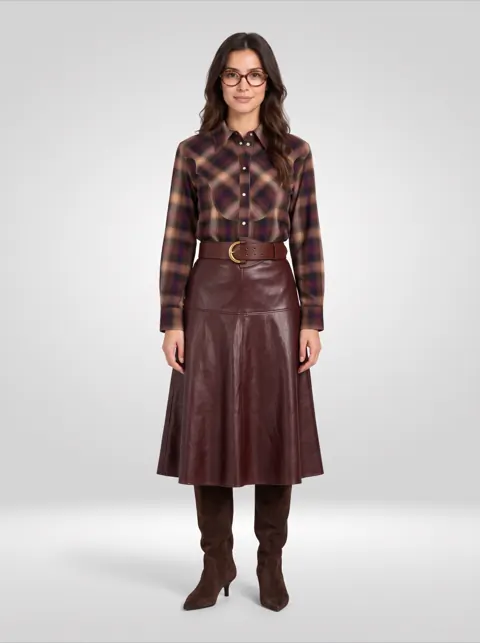
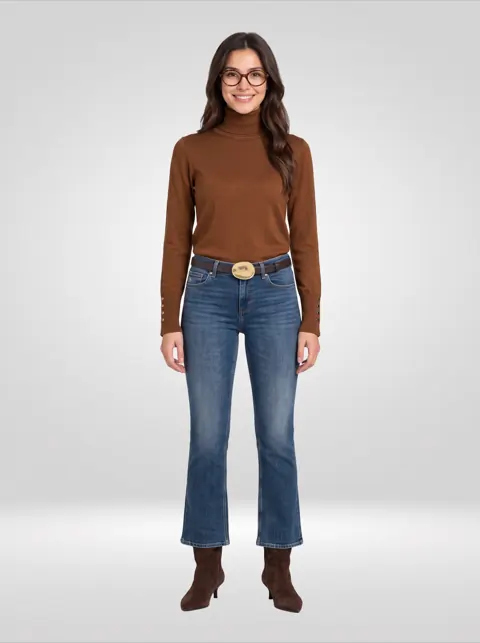
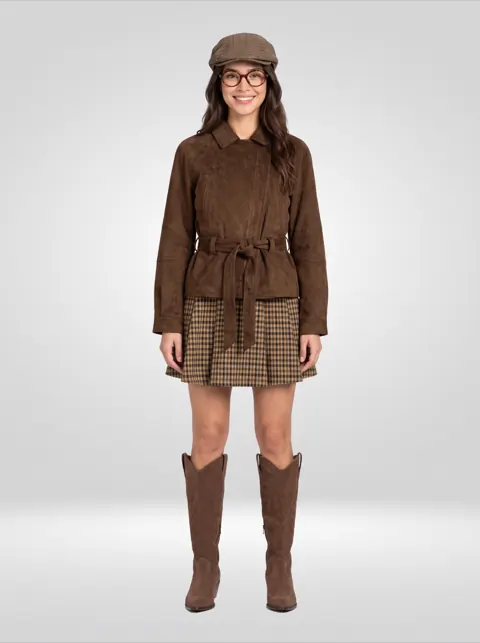
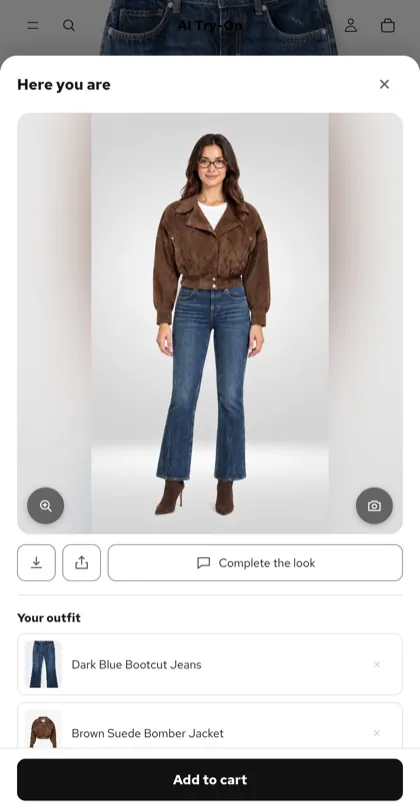
Every picture below was made from the same single photo — whole outfits from the shop, some styled with the shopper's own glasses.
How it works
From product page to cart, in three steps.
-
1
Add it to your theme
Install the app, then add the try-on block and the assistant from the theme editor. No code, no developer, nothing to host.
-
2
Shoppers add one photo
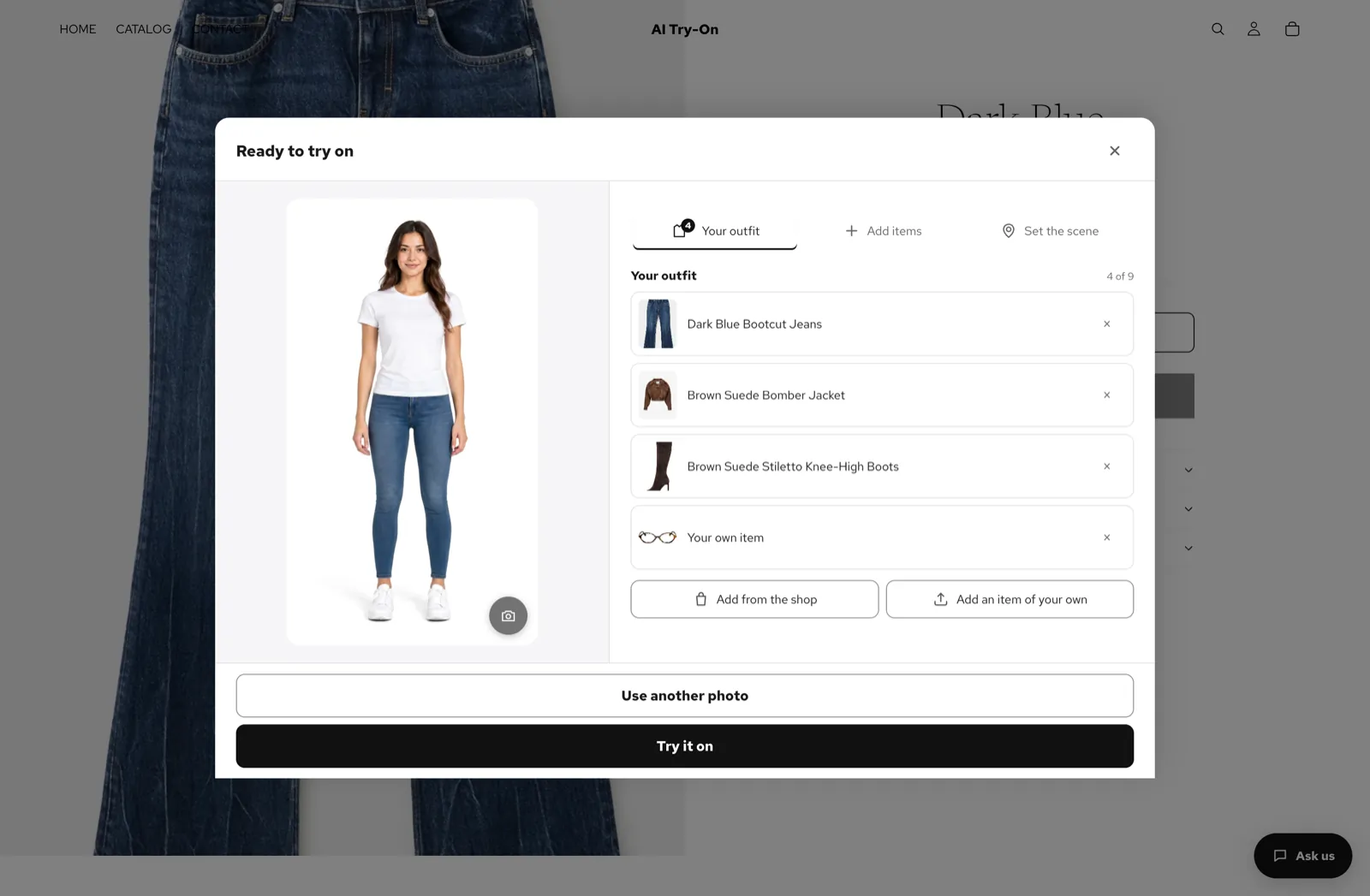
A single full-body photo. They build an outfit from your products, add a piece they already own, and can set the scene.
-
3
They see it — and buy it
In about a minute the look is ready. Add to cart puts the outfit in the cart; Complete the look suggests what is still missing.
AI stylist
A shop assistant that knows your catalogue.
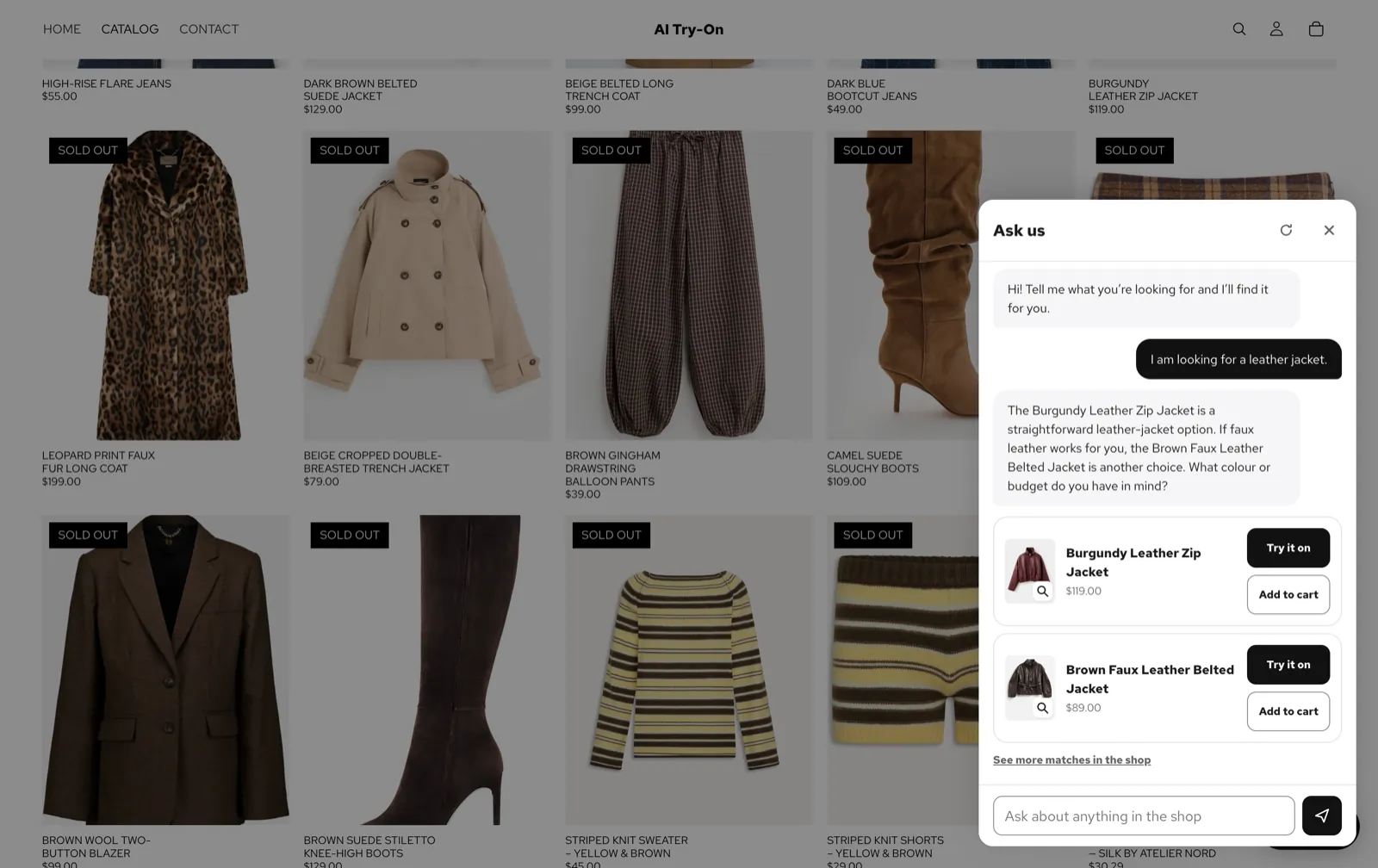
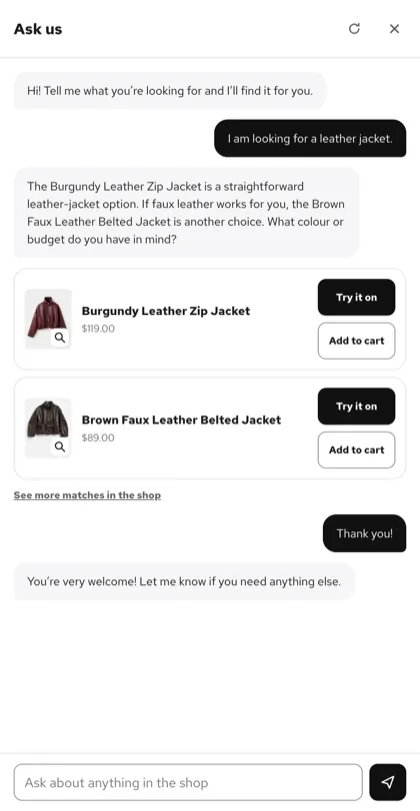
Shoppers ask in their own words and in their own language. The assistant answers from your products only — and every answer can be tried on or added to the cart.
- Only your products. It recommends what you sell, never an item that isn't in your store.
- Sizes and stock. It knows what is available, and says so when something is sold out.
- Styling, not just search. It suggests what goes together and opens the try-on straight from the chat.
- The shopper's language. It replies in the language the shopper writes in.
Features
Everything a fitting room does. Online.
-
Whole outfits
Several of your products in one look — a jacket, jeans and boots, rendered together in a single picture.
-
Styled scenes
Place the look on a street, in an office or on a beach — drawn over the finished outfit.
-
Their own clothes
Shoppers add a piece they already own, and see how your product works with their wardrobe.
-
Straight to the cart
Add to cart from the result or from the chat, with Complete the look suggestions for what is missing.
-
Yours to control
Choose the image model, which products offer the try-on, the scenes, the wording and the look of the button.
-
Private by design
Photos are deleted after the period you set, 1 to 90 days. Hosted in the EU, encrypted at rest, never used to train models.
Insights
See exactly what it brings in.
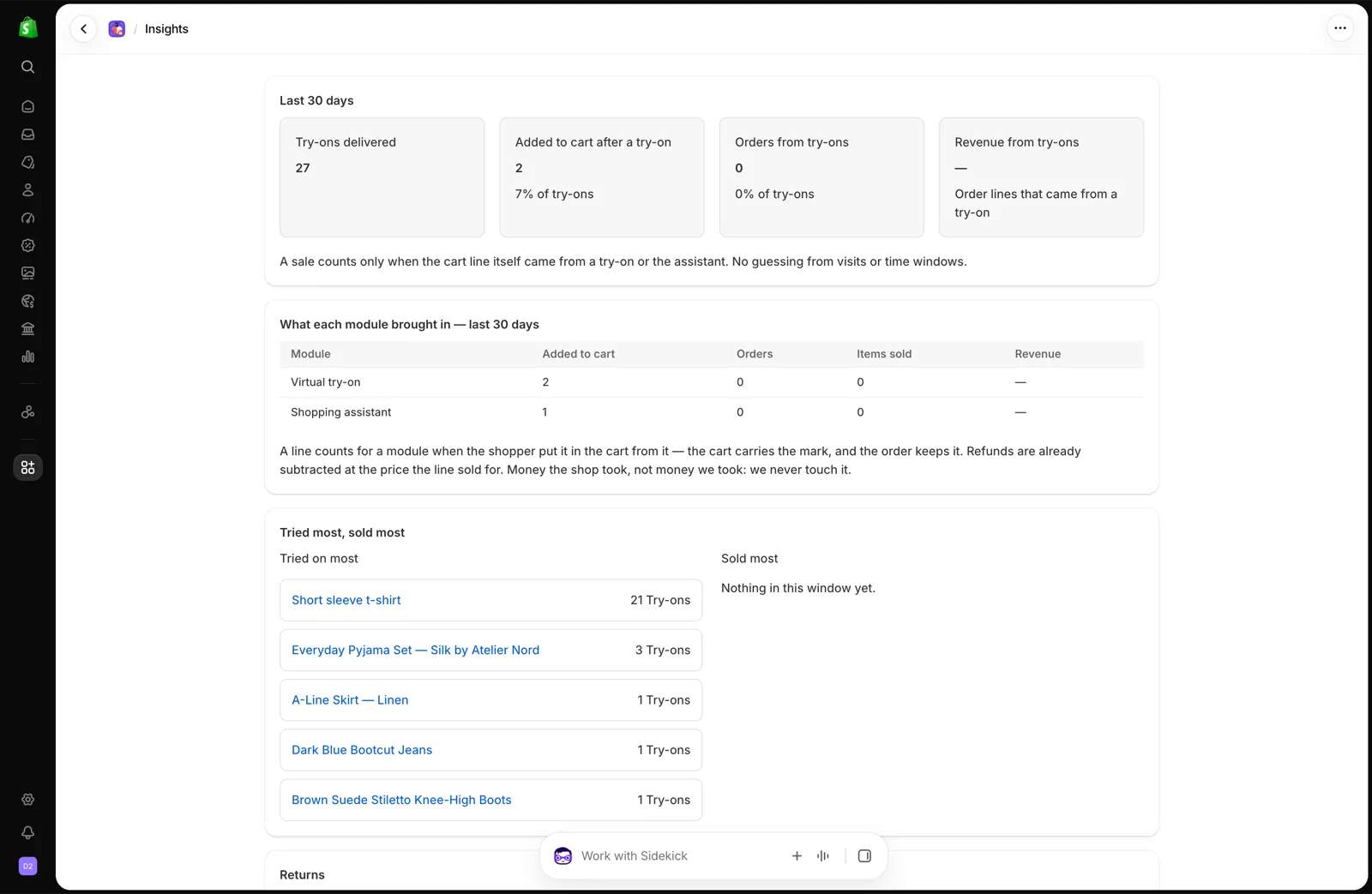
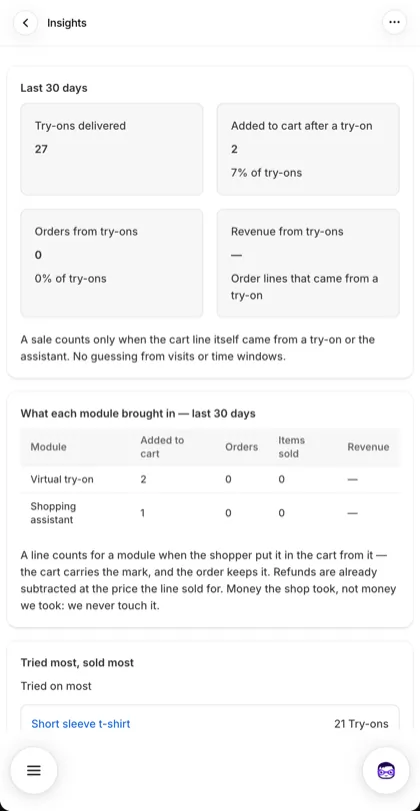
Try-ons, add-to-carts, orders and revenue, for the try-on and the assistant separately. A sale counts only when the cart line itself came from a try-on or the assistant — no guessing from visits or time windows.
- Try-onsdelivered
- Cartsafter a try-on
- Ordersand revenue
Pricing
Start free. Grow when it pays.
Billed through Shopify. A try-on costs 1 or 2 credits, depending on the image model you choose.
-
Free
To try it in your store
$0forever
- 10 credits to start
- Up to 20 credits a day
- Outfits, scenes and shoppers' own items
- AI assistant: 20 messages a month
- Appcroft branding shown
-
Starter
For a first season of try-ons
$19/ month
$15.20/ month, billed $182.40 yearly
- 150 credits a month120 credits a month
- No daily credit limit
- AI assistant: 150 messages a month
- Everything in Free
-
Recommended
Growth
For stores selling every day
$49/ month
$39.20/ month, billed $470.40 yearly
- 500 credits a month400 credits a month
- AI assistant: 2,500 messages a month
- Full Insights with revenue
- Sell try-on credits to shoppers
- Remove Appcroft branding
-
Pro
For high-volume catalogues
$149/ month
$119.20/ month, billed $1,430.40 yearly
- 1,500 credits a month1,200 credits a month
- AI assistant: 8,000 messages a month
- Insights with CSV export
- No Appcroft branding
- Everything in Growth
Need more? Credit packs that never expire: 100 for $14 · 500 for $57 · 1,000 for $109.
FAQ
Questions merchants ask.
Something else? Write to contact@appcroft.com.
How long does a try-on take?
About a minute. The shopper sees the progress while the look is drawn.
What kind of photo works best?
One person, seen from head to feet, in good light. A photo that shows only part of the body, more than one person, or no one at all is refused with a clear reason — and no credit is spent.
Does it work with my theme?
Yes. It installs as blocks you add in the theme editor, so there is no code to change. If a product page doesn't have the try-on block, the assistant can place the Try it on button there for you.
What is a credit?
A try-on costs 1 or 2 credits, depending on the image model you choose; a look placed in a scene costs twice as much. An outfit costs the same as a single piece. Plan credits are valid for a year, and packs never expire.
What happens to shoppers' photos?
They are kept only as long as you decide — 1 to 90 days, 30 by default — and then deleted automatically. Everything is hosted in the EU (Germany), encrypted at rest, and never used to train any model. Read the privacy policy.
Can I change plan or cancel?
Any time, from the app. Billing goes through Shopify; moving to Free keeps your paid plan until the end of the period you paid for.
Let them try it on before they buy.
Free to install. Set up in minutes from your theme editor.